GEE Tutorial #38 - How to use Cloud Optimized GeoTIFF with Earth Engine
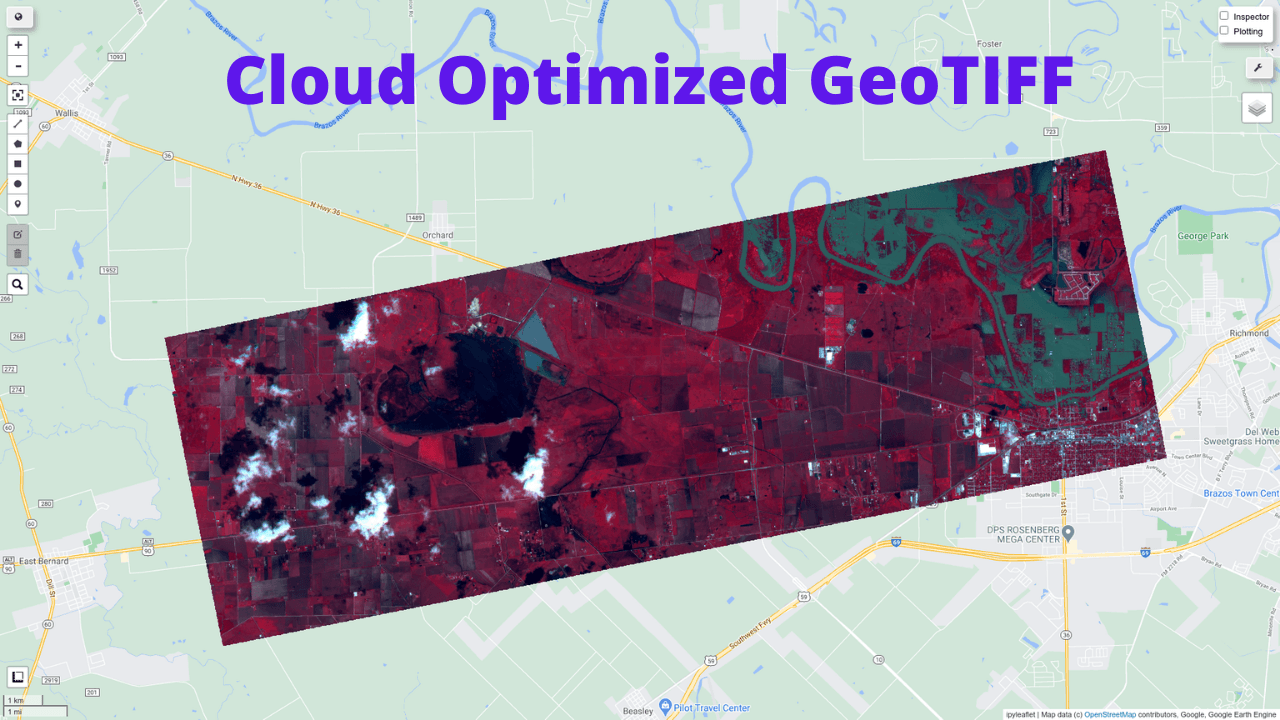
This tutorial shows you load Cloud Optimized GeoTIFF as Earth Engine Image and ImageCollection. A Cloud Optimized GeoTIFF (COG) is a regular GeoTIFF file, aimed at being hosted on a HTTP file server, with an internal organization that enables more efficient workflows on the cloud. It does this by leveraging the ability of clients issuing HTTP GET range requests to ask for just the parts of a file they need. More information about COG can be found at https://www.cogeo.org/in-depth.html
Some publicly available Cloud Optimized GeoTIFFs:
- https://stacindex.org/
- https://cloud.google.com/storage/docs/public-datasets/landsat
GitHub: https://github.com/giswqs/geemap
Notebook: https://github.com/giswqs/geemap/blob/master/examples/notebooks/38_cloud_geotiff.ipynb
Demo

Video
Step-by-step tutorial
Loading a Cloud Optimized GeoTIFF as an ee.Image
Note that only Cloud Optimized GeoTIFF hosted on Google Cloud Storage is supported. Other cloud storage providers (e.g., AWS) are not supported.
In this example, we are going to use the Planet Disaster Data.
import ee
import geemap
Map = geemap.Map()
Map
URL = 'https://storage.googleapis.com/pdd-stac/disasters/hurricane-harvey/0831/20170831_172754_101c_3B_AnalyticMS.tif'
# URL = 'gs://pdd-stac/disasters/hurricane-harvey/0831/20170831_172754_101c_3B_AnalyticMS.tif'
image = geemap.load_GeoTIFF(URL)
vis = {
    "bands":["B3","B2","B1"],
    "min":3000,
    "max":13500
}

Map.addLayer(image, vis, 'Cloud Image')
Map.centerObject(image.geometry(), 12)
Loading a list of Cloud Optimized GeoTIFFs as an ee.ImageCollection
In this example, we are going to use the Landsat data hosted on Google Cloud.
https://cloud.google.com/storage/docs/public-datasets/landsat
https://console.cloud.google.com/storage/browser/gcp-public-data-landsat/LC08/01/044/034/LC08_L1TP_044034_20131228_20170307_01_T1
Map = geemap.Map()
Map
B3 = 'gs://gcp-public-data-landsat/LC08/01/044/034/LC08_L1TP_044034_20131228_20170307_01_T1/LC08_L1TP_044034_20131228_20170307_01_T1_B3.TIF'
B4 = 'gs://gcp-public-data-landsat/LC08/01/044/034/LC08_L1TP_044034_20131228_20170307_01_T1/LC08_L1TP_044034_20131228_20170307_01_T1_B4.TIF'
B5 = 'gs://gcp-public-data-landsat/LC08/01/044/034/LC08_L1TP_044034_20131228_20170307_01_T1/LC08_L1TP_044034_20131228_20170307_01_T1_B5.TIF'
URLs = [B3, B4, B5]
collection = geemap.load_GeoTIFFs(URLs)
image = collection.toBands().rename(['Green', 'Red', 'NIR']).selfMask()
vis = {
    'bands': ['NIR', 'Red', 'Green'],
    'min': 100,
    'max': 12000,
    'gamma': 0.8
}

Map.addLayer(image, vis, 'Image')
Map.centerObject(image.geometry(), 8)
ndvi = image.normalizedDifference(['NIR', 'Red'])
ndvi_vis = {
    'min': 0,
    'max': 1,
    'palette': ['blue', 'green']
}
Map.addLayer(ndvi, {}, 'NDVI')